01
A skill for Claude · Custom woodworking
From sketch
to sawdust.
Describe a piece of furniture. Get dimensioned plans, a cut list, an optimized cutting diagram — and a 3D model you turn by hand, part by part, dimensions on tap.
3D model — liveclick a part
Drag to rotate · scroll / pinch to zoom · "exploded view" slider · click a part for its dimensions
14 deliverables per project
The full package
What Claude delivers
A shop-ready build package, generated in the logical order of the project.
02
Overall dimensions
03
Concept sketch
04
Drawing of each part
05
Front · side · top views
06
Cut list (BOM)
07
Optimized cutting diagram
08
Hardware list
09
Tool list
10
Build & assembly
11
Quality checks
12
Cost estimate
13
Safety precautions
14 ★
Interactive 3D model
previews
Generated example
One bookcase, three views
The same piece, from assembled render to build plans — all in millimeters.
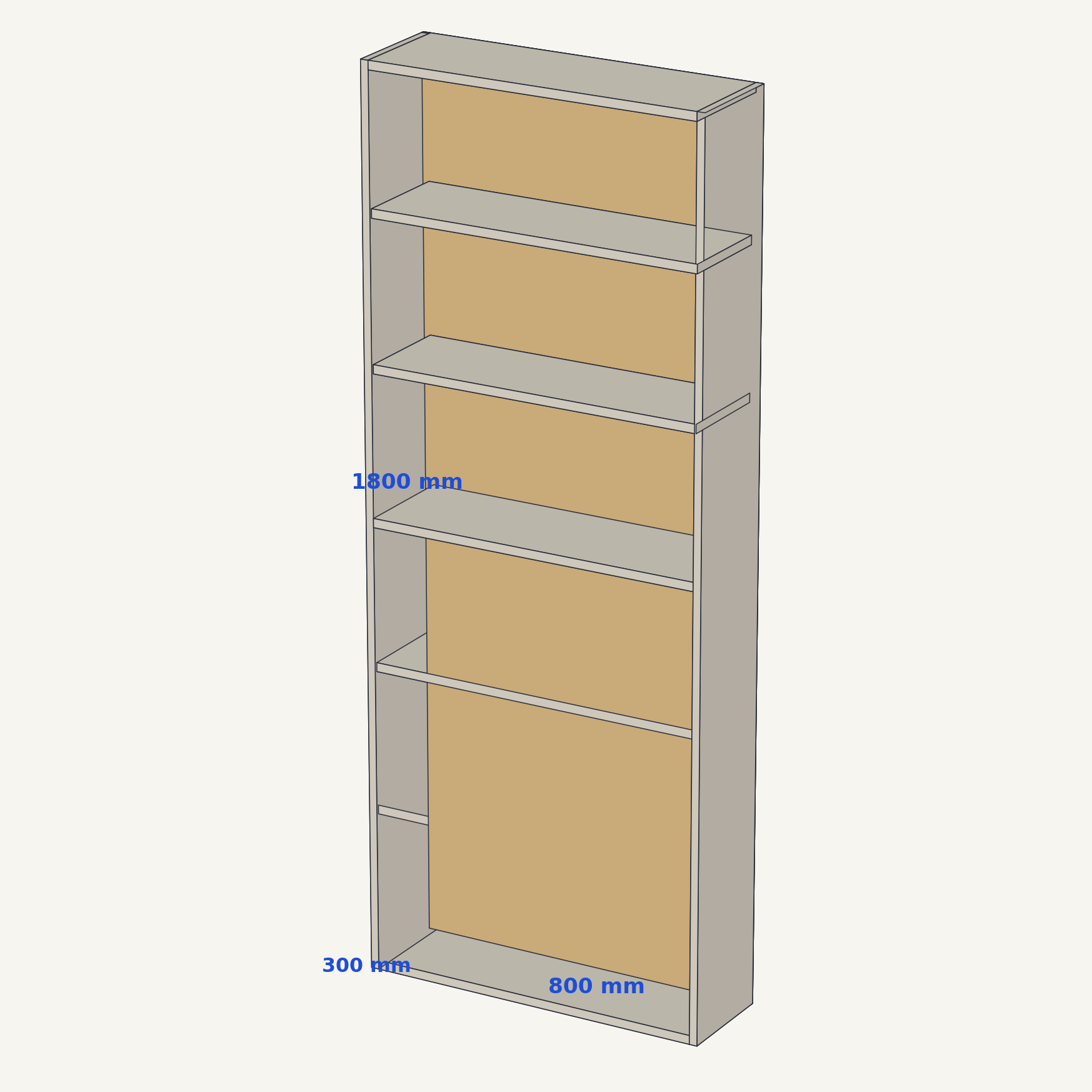
3D assembled · overall dimensions
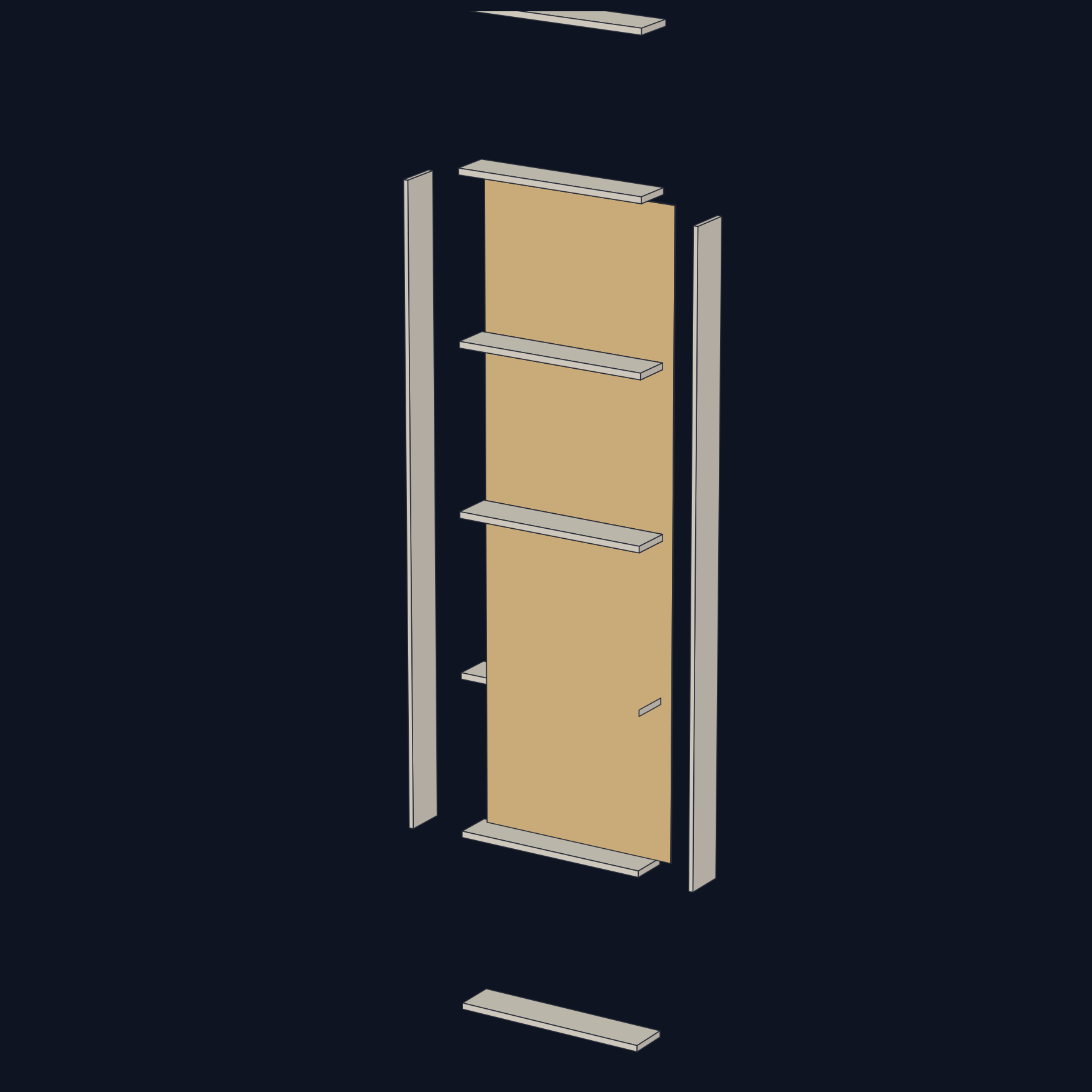
exploded view · assembly order
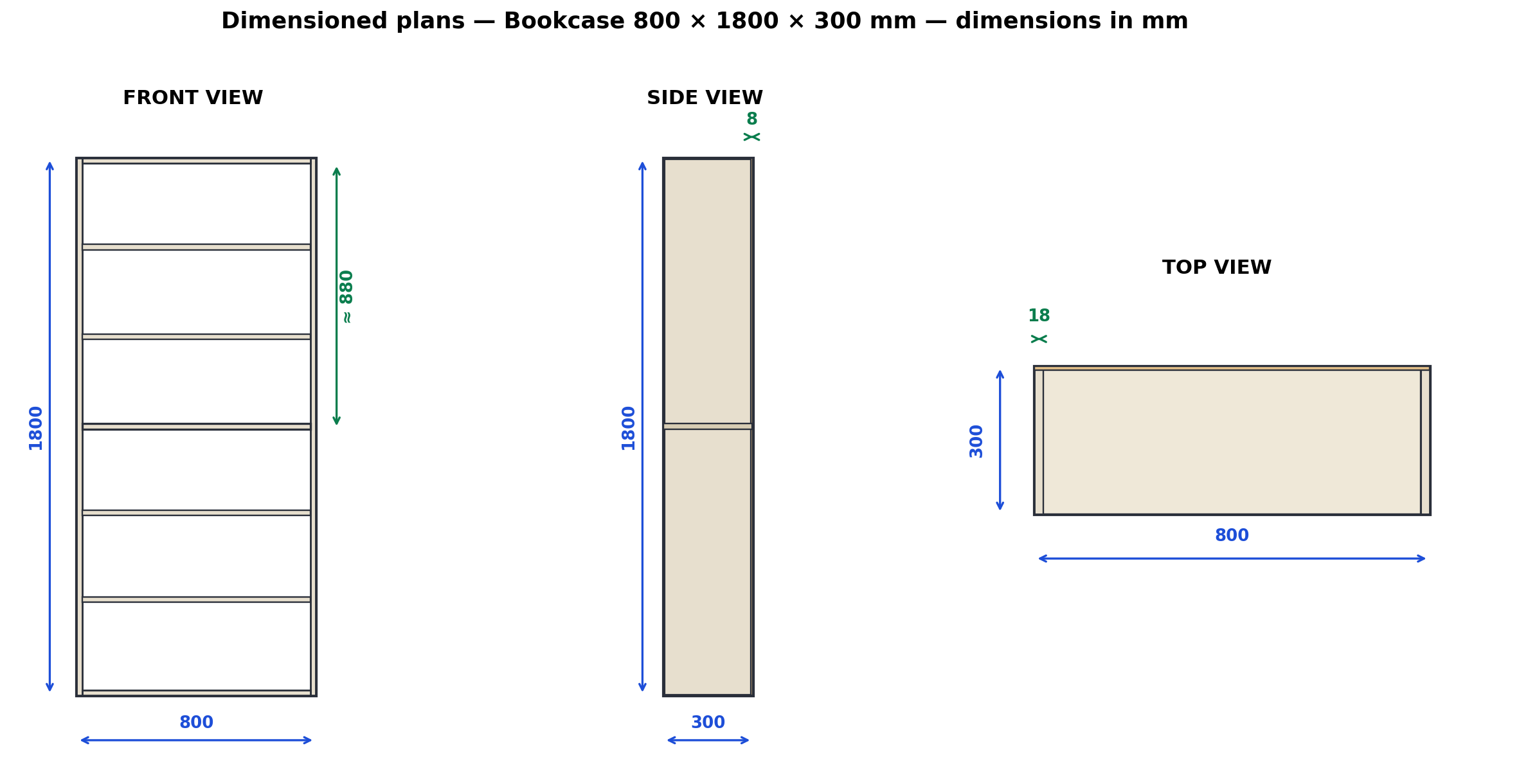
dimensioned plans · front / side / top
3 steps
1
Describe
Use, location, available dimensions, material, finish, load. A photo or sketch helps.
2
Design
Claude proposes options, computes clearances, sizes the hardware, and generates plans and the 3D model.
3
Build
Cut list, cutting diagram, shopping list, assembly steps, and checks: ready for the shop.
Three rules, baked in
// millimeters
Every dimension in mm. No ambiguous units, ever.
// never invented
A missing dimension is asked for, not guessed. Assumptions are flagged before cutting.
// clearances subtracted
Available space isn't the part dimension: thicknesses, gaps, and joinery are subtracted.
Ready to cut accurately?
Install the skill in Claude and describe your first piece.